
Hybrid Lighting Setups That Improve Focus and Mood
Lighting is one of the most overlooked elements of a hybrid workspace. Whether you’re working, gaming, creating, or relaxing, the lighting around you shapes your mood, energy, and ability to focus. A well-designed hybrid lighting setup adapts to your needs throughout the day, helping you stay productive during work hours and fully immersed during gaming sessions. When done right, lighting becomes a powerful tool for wellbeing, comfort, and performance.
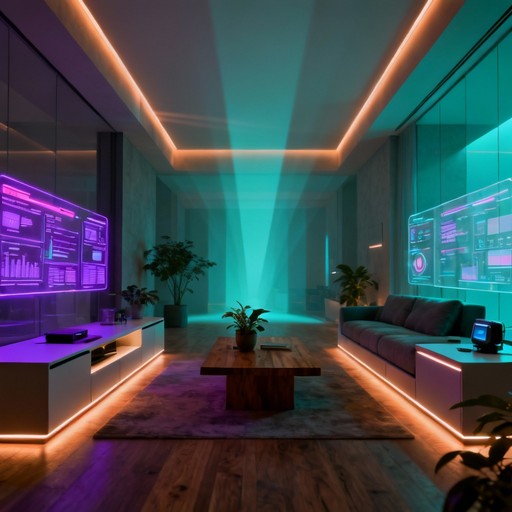
This guide explores how to design a lighting setup that supports both productivity and entertainment. It also connects naturally with related topics like hybrid desk setups, chair selection, dual-purpose workspace design, desk accessories, and cable management to help you build a cohesive environment.
Why lighting matters in a hybrid workspace
Lighting affects your brain more than you might think. It influences your circadian rhythm, emotional state, and cognitive performance. The right lighting can help you:
- Stay focused during work
- Reduce eye strain
- Improve mood and energy
- Enhance gaming immersion
- Transition smoothly between tasks
Because hybrid workspaces serve multiple purposes, your lighting needs to be flexible and intentional.
The three layers of hybrid lighting
A balanced lighting setup uses three layers: ambient, task, and accent lighting. Each layer serves a different purpose and helps your workspace adapt to different activities.
1. Ambient lighting
Ambient lighting is your room’s general illumination. It sets the overall tone and prevents harsh contrasts that strain your eyes.
For hybrid workspaces, aim for:
- Soft, even lighting that fills the room
- Adjustable brightness to match your energy levels
- Warm tones for relaxation and evening use
Smart bulbs or LED ceiling lights work well here.
2. Task lighting
Task lighting illuminates your work area directly. It helps you stay focused and reduces eye strain during long sessions.
Effective task lighting includes:
- Desk lamps with adjustable arms
- Monitor light bars that reduce glare
- Cool white lighting for productivity
Task lighting is especially important if your desk is part of a dual-purpose workspace.
3. Accent lighting
Accent lighting adds atmosphere and personality. It’s essential for gaming immersion and helps you shift into relaxation mode.
Accent lighting includes:
- RGB strips behind your desk or monitor
- Smart LED panels on the wall
- Soft backlighting to reduce contrast
Accent lighting is where your setup can truly shine—literally.
Lighting for productivity
During work hours, your lighting should support focus, clarity, and comfort. Here’s how to optimize your lighting for productivity:
1. Use cool white light
Cooler tones (4000–5000K) help you stay alert and focused. They mimic daylight and reduce drowsiness.
2. Position lights to reduce glare
Place task lights to the side of your monitor to avoid reflections. Monitor light bars are especially helpful for reducing eye strain.
3. Keep ambient lighting consistent
Avoid working in a dark room with only your monitor lit. This creates harsh contrast and strains your eyes.
4. Use presets for work mode
Smart lighting systems allow you to save a “work mode” preset with cool tones and higher brightness.
Lighting for gaming and relaxation
When it’s time to unwind, your lighting should shift to support immersion and comfort. Here’s how to optimize your lighting for gaming:
1. Use warm or colored lighting
Warm tones (2700–3500K) help your body relax. RGB lighting adds atmosphere and enhances immersion.
2. Add backlighting behind your monitor
Backlighting reduces eye strain during long gaming sessions and makes your screen feel more immersive.
3. Use accent lighting to set the mood
LED strips, wall panels, or soft lamps can create a cozy, immersive environment.
4. Create a “gaming mode” preset
Save a preset with dimmer lights, warm tones, or RGB effects to switch modes instantly.
How to transition between work and play using lighting
One of the biggest challenges in a hybrid workspace is shifting your mindset between productivity and relaxation. Lighting can help you make that transition smoothly.
1. Use lighting cues
Bright, cool lighting signals “work mode,” while warm or colored lighting signals “relaxation mode.”
2. Automate transitions
Smart lighting systems can change automatically based on time of day or voice commands.
3. Pair lighting with other workspace changes
Combine lighting shifts with:
- Changing your monitor wallpaper
- Switching keyboard lighting profiles
- Adjusting your chair position (gaming vs. office chairs)
- Rearranging accessories (desk accessories)
These cues help your brain shift modes more easily.
Lighting placement tips for hybrid setups
Where you place your lights matters just as much as the type of lights you choose. Here’s how to position your lighting effectively:
1. Avoid overhead glare
Position overhead lights slightly behind or to the side of your monitor.
2. Use indirect lighting
Bounce light off walls or ceilings to create soft, even illumination.
3. Light your background
Lighting the wall behind your monitor reduces contrast and eye strain.
4. Keep cables tidy
Lighting setups often involve multiple cables. Use cable management strategies to keep everything clean.
Recommended lighting combinations
Here are a few lighting combinations that work well in hybrid workspaces:
1. Productivity-focused setup
- Cool white desk lamp
- Monitor light bar
- Soft ambient ceiling light
2. Gaming-focused setup
- RGB backlighting behind the monitor
- Warm ambient lighting
- Accent LED strips under the desk
3. Balanced hybrid setup
- Smart bulbs with adjustable color temperature
- Monitor backlighting
- Desk lamp with dimming options
Why hybrid lighting improves wellbeing
Lighting influences your mood, energy, and ability to focus. A hybrid lighting setup helps you:
- Stay alert during work
- Relax during downtime
- Reduce eye strain
- Improve sleep quality
- Feel more in control of your environment
When your lighting adapts to your needs, your workspace becomes more comfortable and supportive.
Summary / Key takeaways
Hybrid lighting setups improve focus, mood, and comfort by blending ambient, task, and accent lighting into a flexible system. By using cool tones for productivity, warm tones for relaxation, and RGB for gaming, you can create a workspace that adapts to your day. When combined with insights from hybrid desk setups, chair selection, dual-purpose workspace design, desk accessories, and cable management, your lighting becomes a powerful tool for a balanced digital lifestyle.
Reviewed by HGH Editorial