
How Game UI Elements Can Improve Real-Life Decision Making
Game interfaces are designed to help players make fast, informed decisions in complex environments. Whether you’re navigating a strategy map, managing resources, or reacting to on-screen cues, game UI elements guide your attention, reduce cognitive load, and help you choose the right action at the right time. These same principles can dramatically improve real-life decision making—especially in a world filled with digital noise and constant multitasking.
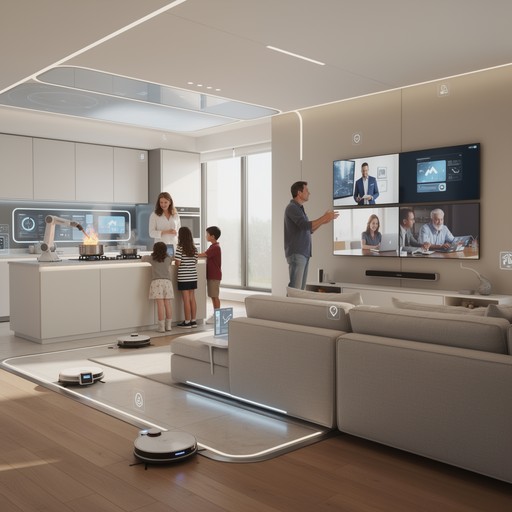
By borrowing ideas from gaming interfaces, you can create systems that help you prioritize tasks, manage information, and stay focused. These concepts connect naturally with gaming-inspired focus timers, hybrid dashboards, gaming-style productivity apps, cooldown systems, and game-inspired visuals.
Why game UI design is so effective
Game UI design is built around clarity, speed, and engagement. Players must make decisions quickly, often under pressure, and the interface must support that process without overwhelming them. Game UI elements work because they:
- Highlight the most important information
- Reduce unnecessary visual noise
- Provide instant feedback
- Use intuitive symbols and colors
- Guide attention through layout and motion
These principles translate beautifully into real-life decision making, especially in productivity systems and daily workflows.
Key game UI elements that improve decision making
Here are the most powerful UI elements from games that can be adapted to real life:
1. Health bars and status indicators
In games, health bars show your current condition at a glance. In real life, similar indicators can help you track:
- Energy levels
- Stress levels
- Task progress
- Daily habits
These indicators pair naturally with hybrid dashboards that visualize your day like a game interface.
2. Mini-maps and navigation cues
Mini-maps help players understand where they are and where they need to go. In real life, this translates to:
- Daily overview panels
- Task maps
- Priority lists
- Visual workflows
These tools help you stay oriented and avoid decision fatigue.
3. Cooldown timers
Cooldowns prevent players from overusing abilities and encourage strategic timing. In real life, cooldowns help you:
- Take breaks between tasks
- Manage energy more sustainably
- Avoid burnout
This concept is explored more deeply in How Cooldowns and Timers Improve Task Switching.
4. Inventory systems
Games use inventory screens to organize tools, resources, and items. In real life, inventory-inspired systems help you manage:
- Projects
- Documents
- Ideas
- Digital assets
Inventory-style layouts are common in gaming-style productivity apps.
5. Quest logs and objectives
Quest logs break big goals into smaller, manageable tasks. This structure improves decision making by clarifying:
- What to do next
- What matters most
- How progress is measured
Quest logs pair well with focus timers that turn tasks into missions.
6. Color-coded alerts
Games use color to signal urgency—red for danger, green for success, yellow for caution. In real life, color coding helps you:
- Prioritize tasks
- Identify deadlines
- Spot bottlenecks
This is a core principle behind game-inspired visual systems.
How game UI elements reduce cognitive load
One of the biggest benefits of game UI design is its ability to reduce cognitive load. When information is presented clearly, your brain spends less energy figuring out what to do and more energy doing it.
Game UI elements help by:
- Grouping related information
- Using icons instead of text
- Highlighting the next action
- Removing unnecessary details
This makes decision making faster, easier, and more intuitive.
Applying game UI principles to real-life decisions
Here’s how you can use game UI elements to improve your daily decision making:
1. Use dashboards to visualize your day
A dashboard inspired by game interfaces can show:
- Your top priorities
- Your progress
- Your energy levels
- Your upcoming tasks
This approach is explored in Hybrid Dashboards: Turning Your Day Into a Game Interface.
2. Use timers to structure your workflow
Gaming-inspired timers help you stay focused and avoid overworking. They also create natural decision points between sessions.
See gaming-inspired focus timers for examples.
3. Use icons and symbols instead of long lists
Icons reduce visual clutter and help you process information faster. They’re especially useful for:
- Task categories
- Energy levels
- Deadlines
4. Use color to guide your attention
Color coding helps you identify what needs attention immediately and what can wait.
5. Break big goals into quests
Quest-style structures make large projects feel manageable and help you stay motivated.
Why game UI improves real-life decision making
Game UI elements work because they align with how the brain naturally processes information. They help you:
- Focus on what matters
- Reduce overwhelm
- Make faster decisions
- Stay motivated
- Track progress visually
When combined with gaming-style productivity apps and cooldown systems, game UI principles create a powerful decision-making framework.
Summary / Key takeaways
Game UI elements improve real-life decision making by reducing cognitive load, clarifying priorities, and guiding your attention. Tools like progress bars, cooldown timers, quest logs, color-coded alerts, and hybrid dashboards help you make faster, more confident decisions. When combined with focus timers, dashboards, productivity apps, cooldown systems, and visual design, game UI principles become a powerful foundation for modern productivity.
Reviewed by HGH Editorial