
How Gaming HUD Design Can Improve Your Daily Workflow
If you’ve ever played a modern video game, you already know the power of a well-designed HUD — the heads-up display that shows your health, objectives, resources, and progress without interrupting gameplay. A great HUD gives you instant clarity. You always know what matters, what’s next, and how you’re doing. What’s fascinating is that the same principles that make HUDs so effective in games can dramatically improve your daily workflow.
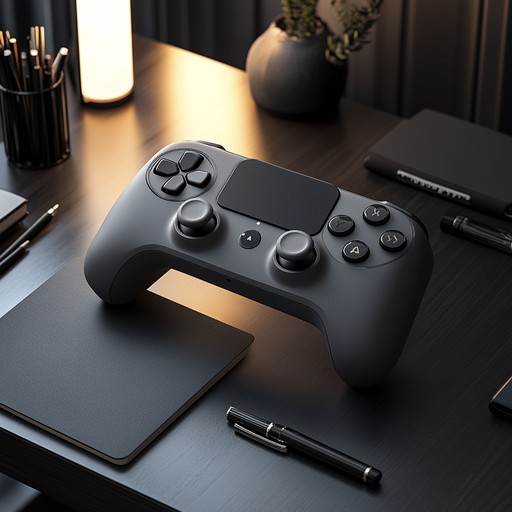
When you apply HUD thinking to real life, you reduce friction, eliminate unnecessary decisions, and create a system that supports focus instead of draining it. A personal HUD doesn’t need to be flashy or complex. It simply needs to surface the right information at the right time — and hide everything else.
Why HUDs Work: Clarity Without Overload
HUDs are designed for fast, intuitive decision-making. They give players just enough information to act confidently, but not so much that they feel overwhelmed. This balance is exactly what most people struggle with in their daily routines. Too many apps, too many notifications, too many lists, too many tabs — and not enough clarity.
A HUD-inspired workflow solves this by:
- Reducing cognitive load
- Making priorities visible
- Eliminating unnecessary steps
- Creating a sense of momentum
- Supporting deep focus
Instead of juggling dozens of mental reminders, you rely on a system that keeps everything visible and organized.
HUD Elements You Can Apply to Real Life
You don’t need a custom app or a complicated setup to build your own daily HUD. You can recreate the most effective HUD elements using simple tools — a dashboard app, a whiteboard, a browser homepage, or even a hybrid digital-physical setup.
Here are the most powerful HUD elements you can borrow from gaming:
1. Health Bar → Energy Awareness
Gamers constantly monitor their health bar. In real life, your “health bar” is your energy level. Tracking your energy — not just your time — helps you schedule tasks when you’re most capable of doing them well.
2. Quest Log → Task List
Games break objectives into small, winnable quests. Your daily tasks should follow the same structure: clear, actionable, and bite-sized.
This is where gamified to-do lists shine. They turn your task list into a quest log that feels engaging instead of overwhelming.
3. Mini-Map → Daily Overview
A mini-map helps players navigate without losing their sense of direction. Your daily mini-map might be:
- A simple dashboard
- A calendar snapshot
- A three-item priority list
It keeps you oriented throughout the day.
4. Cooldowns → Break Timers
Games use cooldowns to prevent players from overusing abilities. In real life, cooldowns help you avoid burnout and maintain consistent focus.
This idea connects naturally to hybrid focus tools, which use timers, progress bars, and visual cues to keep you engaged.
Building Your Own Daily HUD
A personal HUD should be simple, visible, and consistent. You don’t need a complex system — in fact, complexity is the enemy of clarity. Start with a single dashboard that shows:
- Today’s top three priorities
- Your current energy level
- A progress bar for your main task
- A timer or cooldown cycle
- A small “quest log” of supporting tasks
You can build this using:
- A Notion dashboard
- A whiteboard next to your desk
- A browser homepage
- A minimalist productivity app
The key is that your HUD becomes the “home base” you return to throughout the day.
How HUD Thinking Improves Decision-Making
One of the biggest productivity killers is decision fatigue — the mental exhaustion that comes from making too many choices. A HUD reduces decision fatigue by making the next step obvious.
Instead of asking:
- “What should I do next?”
- “Where did I leave off?”
- “What’s the priority?”
Your HUD answers these questions instantly.
This is the same principle behind XP-based habit systems, which make progress visible and reduce the mental effort required to stay consistent.
Using HUDs to Build Better Routines
HUDs don’t just help with individual tasks — they help you build routines. When your workflow is structured like a game loop, you naturally fall into a rhythm of action, feedback, and reward.
This is exactly how game loops for routines work. They create a repeating cycle that keeps you moving forward without needing constant motivation.
A daily HUD supports this by:
- Showing your current loop
- Tracking your progress
- Signaling when to take a break
- Highlighting your next objective
Over time, this creates a sense of momentum that makes your routines feel automatic.
Leveling Up Your Workflow
One of the most powerful aspects of gaming is the feeling of leveling up — the sense that your actions are building toward something meaningful. You can recreate this feeling in your daily workflow by tracking your progress visually.
This ties directly into leveling up real-life tasks, where you treat your personal growth like character progression. When you see your progress bar filling, your XP increasing, or your streak continuing, you feel motivated to keep going.
A HUD makes this visible and rewarding.
Examples of Real-Life HUD Systems
Here are a few simple HUD setups you can try:
1. The Minimalist Dashboard
A single screen showing:
- Today’s top 3 tasks
- A progress bar
- A focus timer
- A small energy tracker
2. The Hybrid Whiteboard HUD
A physical board divided into:
- Quests
- Cooldowns
- Progress
- Energy
3. The Browser-Based HUD
Your homepage becomes:
- A mini-map of your day
- A quest log
- A progress tracker
4. The Gamified HUD
Combine:
- XP
- Levels
- Streaks
- Quests
- Cooldowns
This works beautifully with hybrid focus tools and XP-based habit systems.
Summary / Key Takeaways
HUDs provide clarity, reduce friction, and support fast decision-making. You can apply HUD elements like quest logs, cooldowns, and progress bars to your daily workflow. A personal HUD helps you stay focused, organized, and motivated. HUD thinking pairs naturally with gamified systems like XP, streaks, and game loops. Leveling up your tasks creates long-term motivation and momentum.
Reviewed by HGH Editorial